Review Loop
The desktop review workflow is built around split diffs, inline comments, and sending those comments back to the agent without leaving the IDE.
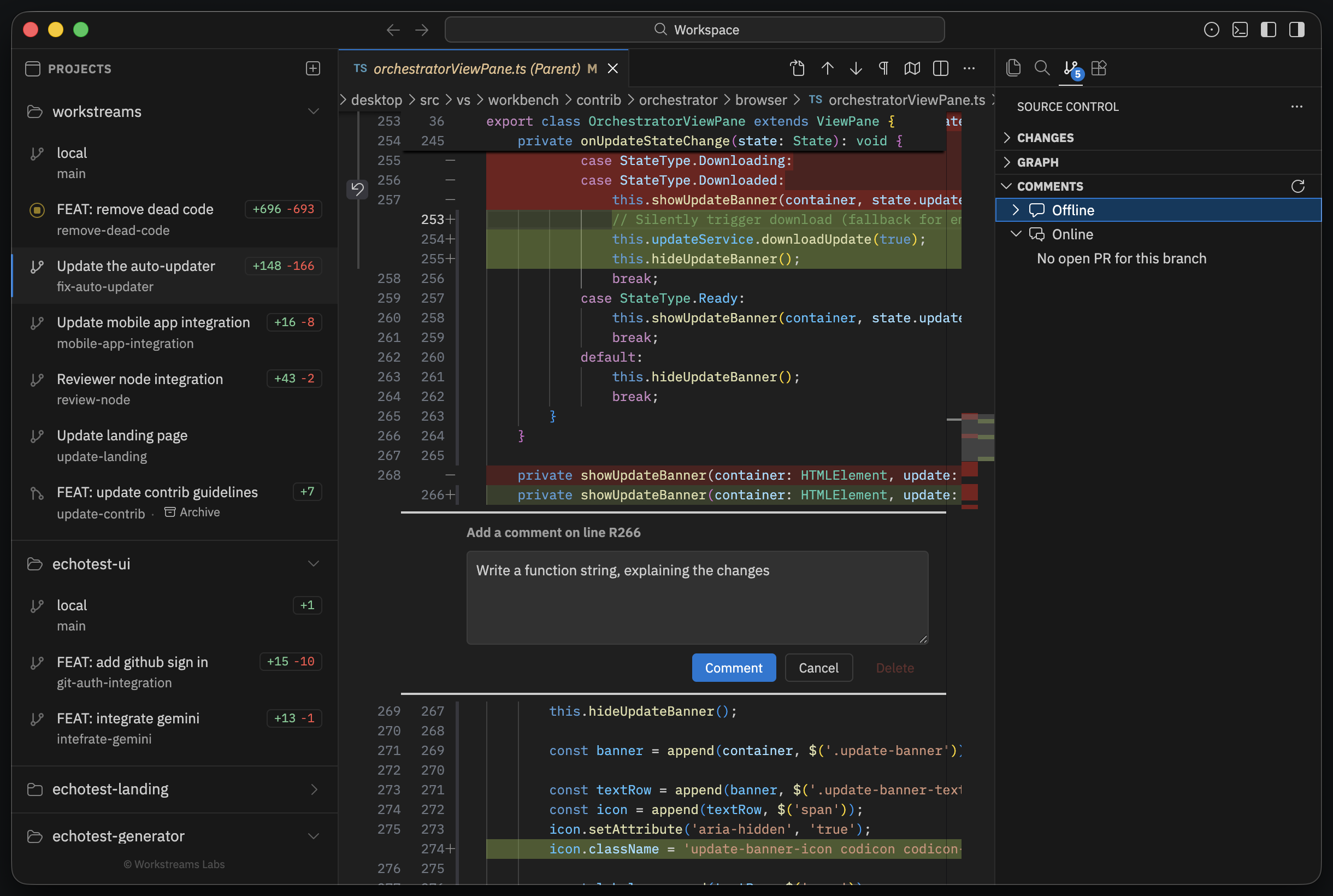
Add inline comments on split diffs
Open a diff editor for a changed file and use the gutter comment affordance on the changed line.
Comments are anchored to:
- file path
- line number
- diff side (
originalormodified) - optional line context
They are stored per worktree in ~/.workstreams/<repo>/<worktree-branch>/comments.json.
Send comments back to Claude
Run this command from the Command Palette:
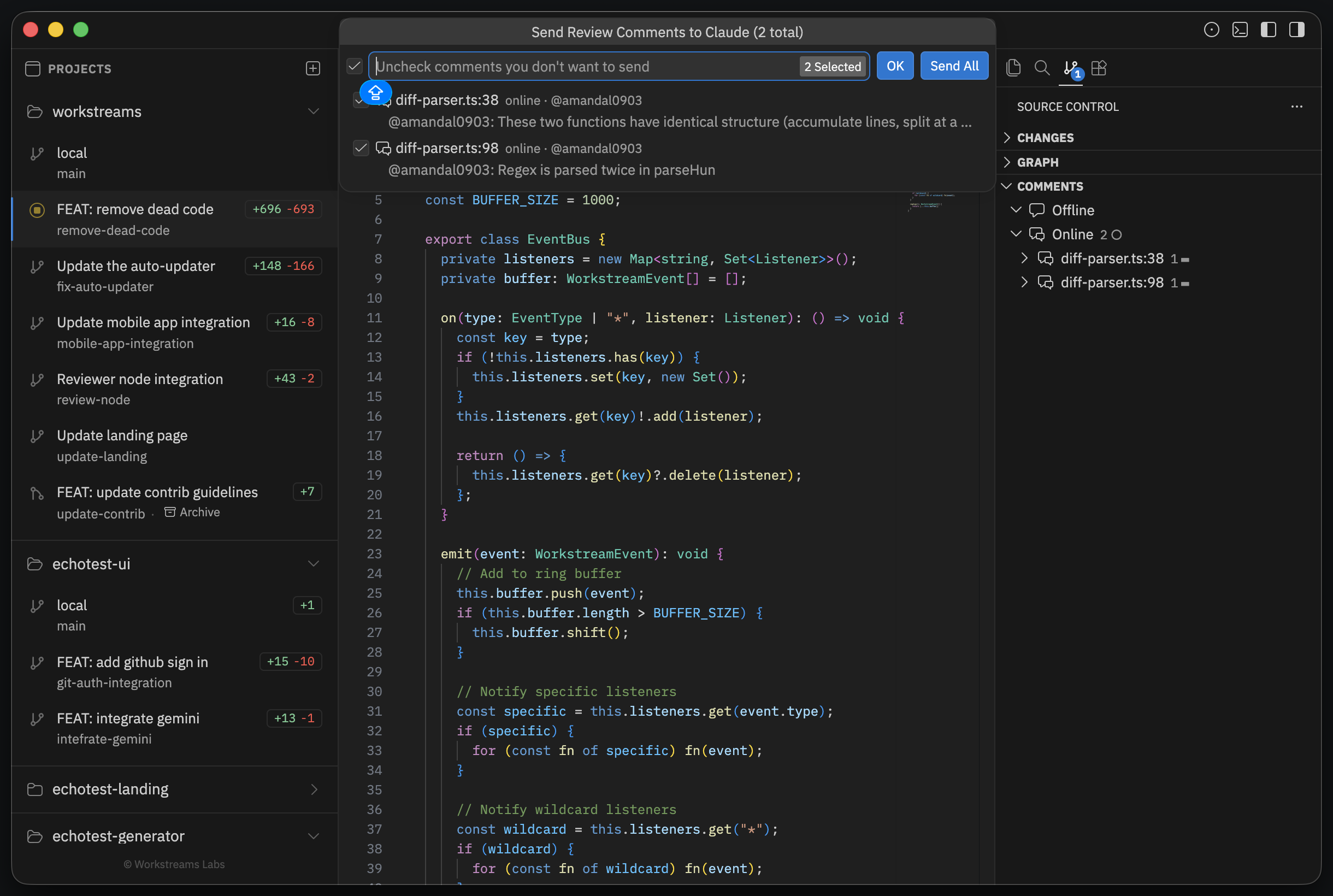
Workstream: Send Review Comments to ClaudeThe picker shows every saved local comment for the active worktree. You can send only a subset or send everything.
When you confirm, Workstreams:
- opens a terminal for the active worktree
- starts the configured
claudecommand - formats each comment into a structured prompt
- asks Claude to fix the issues in the current working tree
Local comments that were sent are deleted afterward so the next review pass starts clean.
Pull in GitHub PR review threads
If the active branch maps to an open GitHub pull request, Workstreams can fetch PR review threads and include them in the same picker.
To enable that flow:
- run Workstream: Sign in to GitHub
- open the worktree whose branch backs the PR
- run Workstream: Send Review Comments to Claude
Unresolved GitHub threads are preselected. Resolved threads are shown but not selected by default. GitHub comments remain on GitHub after sending.
Practical loop
The intended loop is:
- let the agent make a pass
- inspect the diff
- leave precise inline comments
- send those comments back to the agent
- inspect the updated diff
- open or update the PR when the branch is ready